For business inquiries : (+1) 438 601-1155

For special requests : (+1) 438 601-1155

A propos de la formation VMware NSX: Install, Configure, Manage (V6.2)

VMware NSX: Install, Configure, Manage (V6.2) is a comprehensive training program designed to equip participants with the necessary skills to deploy and manage a software-defined networking solution using VMware NSX. Throughout the course, participants will learn how to configure NSX components, deploy logical networks, establish routing connectivity, and implement security services to optimize their NSX environment.

Détails
  • Categorie  : Cloud
  • Duree         : 5 days
Objectifs pédagogiques de la formation VMware NSX: Install, Configure, Manage (V6.2)
  •  Configure and deploy NSX components for management and control
  • Describe basic NSX layer 2 networking and deploy logical switch networks
  • Configure and deploy NSX distributed router appliances to establish east-west connectivity
  • Configure and deploy VMware NSX Edge services gateway appliances to establish north-south connectivity
  • Configure NSX L2 bridging and utilize main features of the NSX Edge services gateway
  • Implement NSX Edge and distributed firewall rules to restrict network traffic
  • Configure Service Composer policies and identity-aware firewall.

Qui devrait suivre cette formation VMware NSX: Install, Configure, Manage (V6.2) ?

Public visé par la formation VMware NSX: Install, Configure, Manage (V6.2)

This training program is intended for IT professionals, network administrators, and system engineers who are responsible for the installation, configuration, and management of VMware NSX environments. It is also suitable for individuals seeking to enhance their knowledge and skills in software-defined networking technologies.  

Prérequis de la formation VMware NSX: Install, Configure, Manage (V6.2)

Participants should have a basic understanding of networking concepts, virtualization technologies, and VMware vSphere environments. Prior experience with VMware products and solutions, such as vSphere, is recommended but not required.

Formations Similaires

  • Microsoft AZURE AZ-900 Détails
  • Microsoft Azure Infrastructure Solutions Implementation (Version: Azure 2021) Détails
  • Amazon Web Services (AWS) Architecture Détails
  • Data Engineering on Microsoft Azure (DP-203) Détails
  • Azure Cosmos DB Deep Dive Détails
  • Microsoft Azure AZ-204 Détails
  • Azure Administrator Associate AZ-104 [edition 2022] Détails
  • Microsoft Azure: DevOps Implementation (AZ-400) Détails
  • Google Cloud Application Development Détails
  • AWS - Amazon Web Services - DevOps Engineering Détails
  • Google Cloud Platform Architect Détails
  • Machine Learning on Google Cloud (MLGC) Détails
  • Architecting on AWS Détails
  • ISO 14001 Détails
  • Nutanix Enterprise Cloud Administration 6.5 Détails
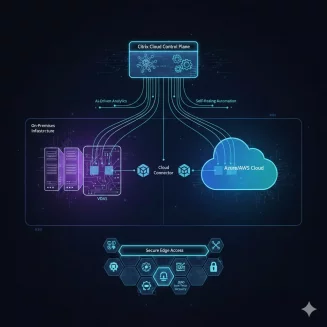
  • CITRIX VIRTUAL APPS AND DESKTOPS 7 ADVANCED ADMINISTRATION (CWS-315) Détails
  • VCP - DATA CENTER VIRTUALIZATION 2023 Détails
  • VMWARE HORIZON 8: VIRTUAL DESKTOP BOOTCAMP Détails
  • VMware NSX: Install, Configure, Manage (V6.2) Détails
  • VMware vRealize Automation V8.3 Détails
  • Microsoft 365 Fundamentals MS900 Détails
  • VMware vSphere 8: Installation, Configuration, and Administration Détails
  • Implement Citrix DaaS on Microsoft Azure (CWS-251) Détails
  • Nutanix - Enterprise Cloud Administration (ECA) V6.5 Détails
  • SharePoint Hybrid Deployment and Migration (MS-050T00) Détails
  • Installation & Configuration of Microsoft Windows Server 2019 Hyper-V Détails

Déroulé de la formation VMware NSX: Install, Configure, Manage (V6.2)


Module 1: Introduction to Software-Defined Storage (SDS)

Explore the concept of the software-defined enterprise

Understand the components of a software-defined data center (SDDC)

Analyze the architecture of Virtual SAN (vSAN)

Configure networking for vSAN

Implement vSAN and manage its performance and monitoring

Deploy virtual machines on vSAN datastores

Discuss the advantages of storage policy-based management


Module 2: Storage Fundamentals

Define key storage terminologies

Examine common storage area network (SAN) architectures

Differentiate between magnetic and flash-based storage devices

Compare file, block, and object-oriented storage architectures

Analyze factors affecting SAN performance

Contrast local, centralized, and distributed storage architectures


Module 3: Introduction to Virtual SAN

Understand the features of Virtual SAN 6

Differentiate between hybrid and all-flash architectures of Virtual SAN 6

Explore options for building a Virtual SAN 6 cluster


Module 4: Configuration of Virtual SAN

Identify requirements for physical network configuration

Configure the virtual network for Virtual SAN

Set up a Virtual SAN 6 cluster

Test and validate the configuration and functionality of Virtual SAN 6


Module 5: Virtual SAN Policies and Virtual Machines

Explain the function of storage policies in Virtual SAN 6

Calculate storage requirements for virtual machine storage policies

Define attributes and create virtual machine storage policies

Apply, modify, and dynamically change virtual machine storage policies

Monitor virtual machine storage policy compliance status

Discuss vsanSparse snapshots and their considerations


Module 6: Management and Operation of Virtual SAN

Manage hardware storage devices in Virtual SAN

Handle hardware device failures

Configure VMware vCenter Server™ alarms for Virtual SAN events

Describe and set up fault domains

Upgrade from Virtual SAN 5.5 to Virtual SAN 6


Module 7: Interoperability with vSphere Features

Identify vSphere features and VMware products that work with Virtual SAN 6

Explore how Virtual SAN 6 interacts with vSphere Enterprise Edition features

Discuss interoperability with third-party products and solutions


Module 8: Monitoring and Troubleshooting Virtual SAN

Utilize tools for troubleshooting Virtual SAN 6

Use the health check plug-in for Virtual SAN 6

Monitor and troubleshoot Virtual SAN 6 performance

Troubleshoot Virtual SAN 6 upgrades


Module 9: Designing a Virtual SAN Deployment

Understand the basics of Virtual SAN design

Plan and design Virtual SAN clusters

Consider design options for hybrid and all-flash deployments

Explore use case design considerations for Virtual SAN

Identify design and sizing tools for Virtual SAN
 

Formations Similaires
Microsoft AZURE AZ-900 Détails
Microsoft Azure Infrastructure Solutions Implementation (Version: Azure 2021) Détails
Amazon Web Services (AWS) Architecture Détails
Data Engineering on Microsoft Azure (DP-203) Détails
Azure Cosmos DB Deep Dive Détails
Microsoft Azure AZ-204 Détails
Azure Administrator Associate AZ-104 [edition 2022] Détails
Microsoft Azure: DevOps Implementation (AZ-400) Détails
Google Cloud Application Development Détails
AWS - Amazon Web Services - DevOps Engineering Détails
Google Cloud Platform Architect Détails
Machine Learning on Google Cloud (MLGC) Détails
Architecting on AWS Détails
ISO 14001 Détails
Nutanix Enterprise Cloud Administration 6.5 Détails
CITRIX VIRTUAL APPS AND DESKTOPS 7 ADVANCED ADMINISTRATION (CWS-315) Détails
VCP - DATA CENTER VIRTUALIZATION 2023 Détails
VMWARE HORIZON 8: VIRTUAL DESKTOP BOOTCAMP Détails
VMware NSX: Install, Configure, Manage (V6.2) Détails
VMware vRealize Automation V8.3 Détails
Microsoft 365 Fundamentals MS900 Détails
VMware vSphere 8: Installation, Configuration, and Administration Détails
Implement Citrix DaaS on Microsoft Azure (CWS-251) Détails
Nutanix - Enterprise Cloud Administration (ECA) V6.5 Détails
SharePoint Hybrid Deployment and Migration (MS-050T00) Détails
Installation & Configuration of Microsoft Windows Server 2019 Hyper-V Détails

Vous pouvez faire l’inscription ou la demande du devis avec un seul click