For business inquiries : (+1) 438 601-1155
For special requests : (+1) 438 601-1155
For business inquiries : (+1) 438 601-1155
For special requests : (+1) 438 601-1155

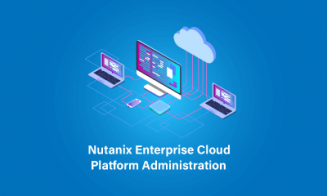
The Nutanix Enterprise Cloud Administration 6.5 training covers the essential aspects of Nutanix cluster management necessary for successful deployment in data center environments. Participants will gain insights into administering Nutanix solutions through graphical and command-line interfaces, along with learning about Nutanix's self-healing capabilities and troubleshooting strategies.












Module 1: Introduction to Nutanix Enterprise Cloud Administration 6.5
Overview of Nutanix HCI solution
Components of Nutanix Enterprise Cloud
Relationship between physical and logical cluster components
Module 2: Nutanix Cluster Administration
Using Prism console for cluster monitoring
Cluster configuration through various interfaces
Managing the cluster using REST API explorer
Deploying Nutanix-specific PowerShell cmdlets
Module 3: Securing the Nutanix Cluster
User authentication
SSL certificate installation
Access control within the cluster
Module 4: Networking
Configuration of managed and unmanaged networks in Acropolis
Utilizing Open vSwitch (OVS)
Advanced network settings configuration and overview of default network configuration
Module 5: VM Management
Adding images and creating/administering virtual machines under AHV
Module 6: Cluster Health Monitoring and Alerts
Utilizing Cluster Health dashboard for monitoring cluster health and performance
Using the Analysis dashboard for exporting graphs with component and metric information
Module 7: Distributed Storage Fabric
Creation and configuration of Storage containers
Storage optimization features including deduplication, compression, and erasure coding
Module 8: AHV Migration Method
Using Nutanix Move for migrating workloads to AHV cluster
Lab exercise: Migrating a VM from ESXi-configured Nutanix cluster to AHV-configured cluster
Module 9: Acropolis Services
Overview and configuration of Nutanix Volumes for high-performance, high-availability block storage
Introduction to Nutanix Files solution
Module 10: Continuity of Service
Description of data protection features across virtual datacenter components
Replication of data between Nutanix clusters synchronously and asynchronously
Configuration of protection domain (DP), remote site, VM restoration, and complete DP migration
Module 11: Prism Central
Tasks achievable from Prism Central for supervising and managing activities across clusters
Discussion on differences brought by the Pro license
Module 12: Nutanix Cluster Maintenance
Location and interpretation of cluster log files
Examination of Nutanix support portal and online help resources
Module 13: Cluster Management and Evolution
Essential lifecycle operations including cluster startup/shutdown and node startup/shutdown
Cluster scaling, license management, and software/firmware upgrades
Module 14: Remote Office/Branch Office (ROBO) Management
Specific configurations and prerequisites for ROBO site
Considerations for hardware/software, VM Witness, networking, failure scenarios, and restoration for two-node clusters.