For business inquiries : (+1) 438 601-1155
For special requests : (+1) 438 601-1155
For business inquiries : (+1) 438 601-1155
For special requests : (+1) 438 601-1155

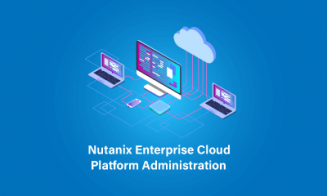
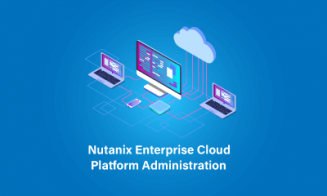
The Nutanix - Enterprise Cloud Administration (ECA) V6.5 course provides comprehensive insights into Nutanix's centralized management capabilities, allowing participants to explore a wide range of features available within the unified web console. Whether you're already experienced in Nutanix administration or seeking to advance your career as a Nutanix administrator, this course offers valuable knowledge and skills to enhance your expertise.











Module 1: Getting Started with Nutanix
Understanding Three-tier and Hyperconverged Infrastructures.
Exploring Nutanix Cloud Solutions.
Introduction to Nodes, Blocks, Clusters, and Cluster Services.
Getting Started with Prism Central and Prism Element.
Understanding the Usage of Prism Central and Prism Element.
Practical Exercises: Connecting to and Exploring the Prism Web Console. Adding IP data services, an NTP server, and a name server. Configuring Active Directory authentication. Exploring Prism Central. Configuring Prism Central.
Module 2: Securing a Nutanix Cluster
Understanding Nutanix's Security Approach.
Configuring Authentication, Users, and RBAC using Prism Central.
Understanding Network Flow Security Policies.
Configuring Data-at-Rest Encryption using Prism Element.
Practical Exercises: Adding a local user. Verifying a new user account.
Module 3: Image Management
Understanding the Image Service.
Using Prism Central to Monitor, Download, Import, and Manage Images.
Practical Exercises: Downloading and Importing Images to Prism Central. Configuring an image placement policy.
Module 4: Virtual Machine Creation
Creating VMs using Prism Central.
Utilizing Prism Central's Self-Service Features to Create VM Templates.
Installing and Activating Nutanix Guest Tools.
Creating Windows and Linux Virtual Machines. Installing Windows and Linux operating systems. Installing Nutanix Guest Tools on Windows and Linux.
Practical Exercises: Updating a virtual machine. Creating a template and a clone. Exporting a VM as an OVA. Creating and running a playbook. Creating a storage policy.
Module 5: Virtual Machine Management
Updating, cloning, customizing, exporting, and applying placement rules to VMs.
Creating and applying storage policies to VMs.
Creating playbooks to automate common VM administrative tasks.
Practical Exercises: Updating a virtual machine. Creating a template and a clone. Exporting a VM as an OVA. Creating and running a playbook. Creating a storage policy.