For business inquiries : (+971) 561803315
For special requests : (+971) 561803315
For business inquiries : (+971) 561803315
For special requests : (+971) 561803315

The Linux Red Hat 8 Server Administration training is designed to equip participants with essential skills for installing and managing Red Hat Enterprise Linux (RHEL) in a professional environment. This course covers the fundamentals of RHEL 8 administration, including new features introduced in version 8. Participants will learn how to perform system installation, configure initial settings, manage day-to-day administration tasks, handle peripherals, and set up networks and key services on Red Hat Linux 8.












Module 1: RedHat Server Deployment
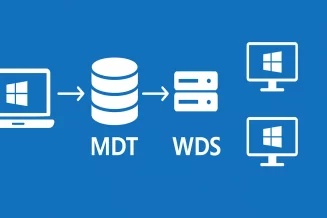
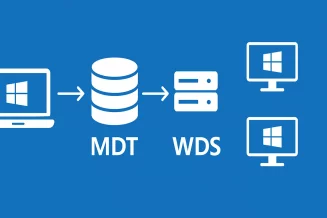
Setting up an Installation Server
Booting the System via PXE with pxelinux
Configuring DHCP and TFTP services
Automating Installation with a Kickstart file
Module 2: System Boot Process
Boot Process Steps, Firmware (BIOS, UEFI)
Understanding and Configuring GRUB
Troubleshooting Boot Issues
Module 3: Managing Services with systemd
Overview of sysVinit Startup System
Starting Services with systemd
Comparison between sysVinit and systemd startup systems
Creating a systemd Service
systemd Tools
Module 4: Software Management
Installing from rpm (using rpmfind)
Introduction to DNF (Dandified Yum)
Software Repository Management
Installing from Source
Module 5: Advanced Disk Space Management
Disk Space Management with LVM
Creating PV, VG, and LV
Increasing LV Size (with ext or xfs filesystem)
Increasing VG Size
Merging VGs
Quotas on ext or xfs Filesystem
Swap Space Management
Module 6: Security
Server Hardening
Managing File ACLs
Configuration and Administration of firewalld
Fail2ban
SELinux: Overview and Configuration
SELinux: Users, Roles, Types, Security Context
Module 7: Log Management
Log Files Overview
Introduction to rsyslogd
Log Rotation with logrotate
systemd Journals: journald
Module 8: System Monitoring
Process Overview
Deferred Execution with at and crontab
Monitoring Tools: sar, vmstat, iostat, ...
Module 9: User Management
User Account Characteristics
Configuration Files
Group Management
User Management
Module 10: Network Administration
Network Interfaces
Configuration Files
Administration Commands: ip and ss
Module 11: Network Services
SSH Commands
Using SSH Keys
FTP over SSH: sftpd
Synchronizing Remote Directories: rsync
NFS Service: Server and Client
Automounting
Module 12: Virtualization
LXC
Podman: Concept, Image, and Container
Podman: Installation
Podman: Running a Container
Podman: Basic Commands