For business inquiries : (+971) 561803315

For special requests : (+971) 561803315

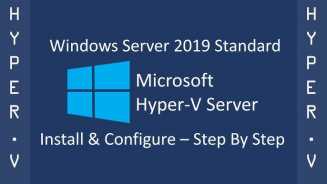
A propos de la formation Installation & Configuration of Microsoft Windows Server 2019 Hyper-V

The "Installation & Configuration of Microsoft Windows Server 2019 Hyper-V with System Center Virtual Machine Manager 2019 (HYPERV-2019)" training is designed to equip IT professionals with the skills needed to design, implement, and manage a virtualized Microsoft Server infrastructure. This practical workshop provides an introduction to Hyper-V functionality and covers the new features of Windows Server 2019 Hyper-V, along with basic training on System Center Virtual Machine Manager 2019.

Détails
  • Categorie  : Cloud
  • Duree         : 5 Days
Objectifs pédagogiques de la formation Installation & Configuration of Microsoft Windows Server 2019 Hyper-V
  • Gain an understanding of Hyper-V functionality and its capabilities
  • Explore the new features introduced in Windows Server 2019 Hyper-V
  • Learn practical skills for configuring and managing Hyper-V servers
  • Understand the basics of System Center Virtual Machine Manager 2019
  • Install and configure System Center Virtual Machine Manager 2019 for Hyper-V server management.

Qui devrait suivre cette formation Installation & Configuration of Microsoft Windows Server 2019 Hyper-V ?

Public visé par la formation Installation & Configuration of Microsoft Windows Server 2019 Hyper-V

This seminar is suitable for IT professionals responsible for designing, implementing, and managing virtualized Microsoft Server infrastructures. It is ideal for newcomers to Hyper-V, as well as Hyper-V administrators seeking to familiarize themselves with the new features of Windows Server 2019 Hyper-V and gain a basic understanding of System Center Virtual Machine Manager 2019.

Prérequis de la formation Installation & Configuration of Microsoft Windows Server 2019 Hyper-V

Participants should have a solid understanding of Windows Server and basic familiarity with Microsoft infrastructure services such as TCP/IP supported networks, DNS, and ADDS. While prior knowledge of Microsoft Failover Cluster and Windows Server is advantageous, it is not mandatory.

Formations Similaires

  • Microsoft AZURE AZ-900 Détails
  • Microsoft Azure Infrastructure Solutions Implementation (Version: Azure 2021) Détails
  • Amazon Web Services (AWS) Architecture Détails
  • Data Engineering on Microsoft Azure (DP-203) Détails
  • Azure Cosmos DB Deep Dive Détails
  • Microsoft Azure AZ-204 Détails
  • Azure Administrator Associate AZ-104 [edition 2022] Détails
  • Microsoft Azure: DevOps Implementation (AZ-400) Détails
  • Google Cloud Application Development Détails
  • AWS - Amazon Web Services - DevOps Engineering Détails
  • Google Cloud Platform Architect Détails
  • Machine Learning on Google Cloud (MLGC) Détails
  • Architecting on AWS Détails
  • ISO 14001 Détails
  • Nutanix Enterprise Cloud Administration 6.5 Détails
  • CITRIX VIRTUAL APPS AND DESKTOPS 7 ADVANCED ADMINISTRATION (CWS-315) Détails
  • VCP - DATA CENTER VIRTUALIZATION 2023 Détails
  • VMWARE HORIZON 8: VIRTUAL DESKTOP BOOTCAMP Détails
  • VMware NSX: Install, Configure, Manage (V6.2) Détails
  • VMware vRealize Automation V8.3 Détails
  • Microsoft 365 Fundamentals MS900 Détails
  • VMware vSphere 8: Installation, Configuration, and Administration Détails
  • Implement Citrix DaaS on Microsoft Azure (CWS-251) Détails
  • Nutanix - Enterprise Cloud Administration (ECA) V6.5 Détails
  • SharePoint Hybrid Deployment and Migration (MS-050T00) Détails
  • Installation & Configuration of Microsoft Windows Server 2019 Hyper-V Détails

Déroulé de la formation Installation & Configuration of Microsoft Windows Server 2019 Hyper-V


Module 1: Understanding Microsoft Virtualization

Overview of Microsoft's virtualization strategy

Introduction to virtualization products, including Hyper-V


Module 2: Introduction to Hyper-V

Basic concepts and features of Hyper-V

Benefits of virtualization with Hyper-V


Module 3: Installation & Configuration of Hyper-V

Step-by-step installation of Hyper-V

Configuration of virtual machines and virtual networks


Module 4: Innovations in Hyper-V Windows Server 2019

Overview of new features and improvements in Hyper-V for Windows Server 2019

Understanding enhancements in performance, scalability, and security


Module 5: Hyper-V Network Technologies

Configuring virtual switches, network adapters, and VLANs

Understanding network isolation and traffic management in Hyper-V


Module 6: Hyper-V Storage Technologies

Storage types and configurations in Hyper-V

Implementing storage solutions for virtual machines


Module 7: Hyper-V Storage Migration

Migrating virtual machine storage between different storage locations

Best practices for storage migration in Hyper-V environments


Module 8: Hyper-V Shared Nothing Live Migration

Implementing live migration of virtual machines without shared storage

Configuring and managing live migration settings


Module 9: Hyper-V in the Microsoft Failover Cluster

Integrating Hyper-V with Microsoft Failover Cluster for high availability

Configuring failover clustering for virtual machines


Module 10: Installation & Configuration of a Hyper-V Live Migration Cluster

Setting up a Hyper-V cluster for live migration of virtual machines

Configuring cluster resources and failover settings


Module 11: Software Defined Networking

Introduction to Software Defined Networking (SDN) concepts

Configuring and managing SDN with Hyper-V Network Controller


Module 12: Introduction, Installation, and Configuration of Hyper-V Container

Understanding Hyper-V container technology

Step-by-step installation and configuration of Hyper-V containers


Module 13: Introduction, Installation, and Configuration of Nano Server

Overview of Nano Server and its role in Hyper-V environments

Installation and configuration of Nano Server for Hyper-V management


Module 14: Hyper-V Security

Implementing security features such as Host Guardian Server and Shielded virtual machines

Configuring Device Guard and Credential Guard for enhanced security


Module 15: Backup, Restore, and Disaster Recovery

Implementing backup and restore strategies for virtual machines

Configuring disaster recovery solutions with Hyper-V Replica


Module 16: Presentation, Installation, and Configuration of Microsoft System Center Virtual Machine Manager 2019

Introduction to System Center Virtual Machine Manager 2019

Step-by-step installation and configuration of Virtual Machine Manager for centralized management of Hyper-V environments

Formations Similaires
Microsoft AZURE AZ-900 Détails
Microsoft Azure Infrastructure Solutions Implementation (Version: Azure 2021) Détails
Amazon Web Services (AWS) Architecture Détails
Data Engineering on Microsoft Azure (DP-203) Détails
Azure Cosmos DB Deep Dive Détails
Microsoft Azure AZ-204 Détails
Azure Administrator Associate AZ-104 [edition 2022] Détails
Microsoft Azure: DevOps Implementation (AZ-400) Détails
Google Cloud Application Development Détails
AWS - Amazon Web Services - DevOps Engineering Détails
Google Cloud Platform Architect Détails
Machine Learning on Google Cloud (MLGC) Détails
Architecting on AWS Détails
ISO 14001 Détails
Nutanix Enterprise Cloud Administration 6.5 Détails
CITRIX VIRTUAL APPS AND DESKTOPS 7 ADVANCED ADMINISTRATION (CWS-315) Détails
VCP - DATA CENTER VIRTUALIZATION 2023 Détails
VMWARE HORIZON 8: VIRTUAL DESKTOP BOOTCAMP Détails
VMware NSX: Install, Configure, Manage (V6.2) Détails
VMware vRealize Automation V8.3 Détails
Microsoft 365 Fundamentals MS900 Détails
VMware vSphere 8: Installation, Configuration, and Administration Détails
Implement Citrix DaaS on Microsoft Azure (CWS-251) Détails
Nutanix - Enterprise Cloud Administration (ECA) V6.5 Détails
SharePoint Hybrid Deployment and Migration (MS-050T00) Détails
Installation & Configuration of Microsoft Windows Server 2019 Hyper-V Détails

Vous pouvez faire l’inscription ou la demande du devis avec un seul click