For business inquiries : (+1) 438 601-1155
For special requests : (+1) 438 601-1155
For business inquiries : (+1) 438 601-1155
For special requests : (+1) 438 601-1155

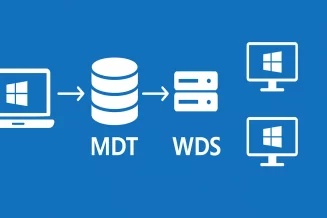
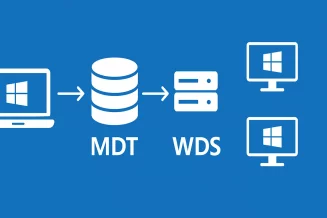
The Windows 10 Deployment with MDT (Microsoft Deployment Toolkit) training program provides participants with comprehensive knowledge and practical skills in deploying Windows 10 using MDT. Through this course, participants will gain an understanding of Microsoft deployment technologies, various deployment tools, and the usage of Windows Deployment Services (WDS) and Microsoft Deployment Toolkit (MDT).














Module 1: Introduction to Deployment
Overview of different deployment methods
Compatibility of version upgrades
Windows deployment tools
Module 2: Volume Activation of Windows
Understanding volume activation of Windows
Key concepts and procedures
Module 3: Fundamentals of Windows Deployment
Introduction to Windows Assessment and Deployment Kit (WADK)
Windows Preinstallation Environment (WinPE)
Image technology and cloning
Windows Imaging and Configuration Designer (WICD)
Module 4: Windows Deployment Services (WDS)
Overview and role of Windows Deployment Services
Installation and configuration of WDS
Module 5: Microsoft Deployment Toolkit (MDT)
Overview and role of MDT
Creating a deployment share (Deployment Share)
Creating different types of task sequences (Task Sequence)
Application management
Driver integration options
Profile concept in MDT
Customization of MDT system files
Customsettings.ini
Bootstrap.ini
Utilizing variables in MDT
Module 6: MDT Operation
Deployment via Windows Deployment Services
Using an ISO file
Offline deployment scenarios
Troubleshooting MDT
Log files and troubleshooting techniques