
For business inquiries : (+1) 438 601-1155
For special requests : (+1) 438 601-1155
For business inquiries : (+1) 438 601-1155
For special requests : (+1) 438 601-1155

Empower your teams with no-code development skills using Microsoft's Power Platform—Power Automate, Power Apps, and Power BI. This training equips participants to automate tasks seamlessly across various systems without coding. Tailored for functional teams, it provides foundational no-code development skills, enabling participants to create solutions effortlessly on the Power Platform.









Module 1: Introduction to Power Platform
Overview of Microsoft Power Platform and its suite of applications.
Understanding the purpose and role of each tool in Power Platform.
Real-world examples to illustrate potential use cases.
Module 2: Power Automate Deep Dive
In-depth exploration of Power Automate, the core tool in Power Platform.
Guided tour through the interface, highlighting key functionalities.
Practical exercises using a pre-built example to reinforce key concepts.
Module 3: Power Apps Discovery
Introduction to Power Apps, focusing on fundamental components and features.
Exploring visual elements and understanding their integration within applications.
Discussion on the synergy between Power Automate and Power Apps.
Module 4: Power BI Essentials
Showcasing impactful Power BI charts and visualizations.
Step-by-step walkthrough of Power BI features to inspire personalized BI solutions.
Practical exercises for hands-on experience with Power BI.
Module 5: Advanced Power Automate Techniques
Going beyond basics with a deeper dive into Power Automate.
Hands-on session using real-world scenarios to reinforce advanced concepts.
Applying learned techniques to participants' own Power Automate environments.
Module 6: Power Apps in Action
Presenting a user journey within an existing Power App.
Analyzing and discussing use cases for application creation.
Comparing Power Apps with Power Automate for optimal automation and application development.
Module 7: Interconnected Power Platform Components
Understanding how Power Platform components work together.
Exploring integration possibilities with Microsoft 365, Dynamics 365, Azure, and third-party services.
Discussing real-world scenarios for cross-platform utilization

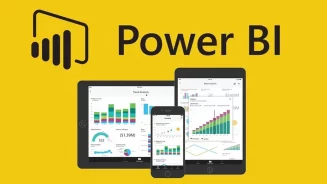
Microsoft Power Platform is a suite of integrated applications, consisting of Power BI, Power Apps, Power Automate, and Power Virtual Agents. It empowers users to analyze data, build custom applications, automate workflows, and create chatbots without extensive coding.
